 Scrape Scraping
Most digital marketing plans treat YouTube as a place to chase views. But the videos that actually bring in sales are rarely the viral ones. They're the quiet videos that answer a specific question at the moment someone is about to buy: "Is this product worth it?", "Which one should I choose?", "Is there a discount?"
That's what YouTube SEO is really about: finding the searches your buyers make, checking whether you can rank for them, and making the video that answers them best. This guide walks you through the whole process, with a free tool that does the research for you.
Key takeaways
- For sales, target buyer-intent keywords like reviews, comparisons and deals, not the biggest topics.
- Judge competition by the videos that already rank: their titles, views, age and channel size.
- The free YouTube Affiliate Keyword Finder turns any product link into buyer keywords, competition scores and video titles.
Why YouTube SEO matters in digital marketing
YouTube works like a search engine. People type what they want, and YouTube ranks the videos that answer it best. That means the same SEO thinking you use for a website works for video: pick the right keyword, match the searcher's intent, and make the best answer.
Video SEO has three advantages over most other channels in a digital marketing plan:
- It keeps working. A video that ranks for "product X review" can bring viewers for years, long after a social post has disappeared from feeds.
- It shows up twice. Google often shows video results for review, comparison and how-to searches, so one video can rank on YouTube and in Google.
- It builds trust before the sale. Seeing a product in use answers questions that a product page can't, which is why review videos work so well for affiliate marketing and e-commerce.
Start with buyer intent, not views
Not every search is worth the same. A video about "air fryer recipes" can get many views, but most viewers just want dinner ideas. A video about "Ninja vs Cosori" gets fewer views, but almost every viewer is deciding what to buy.
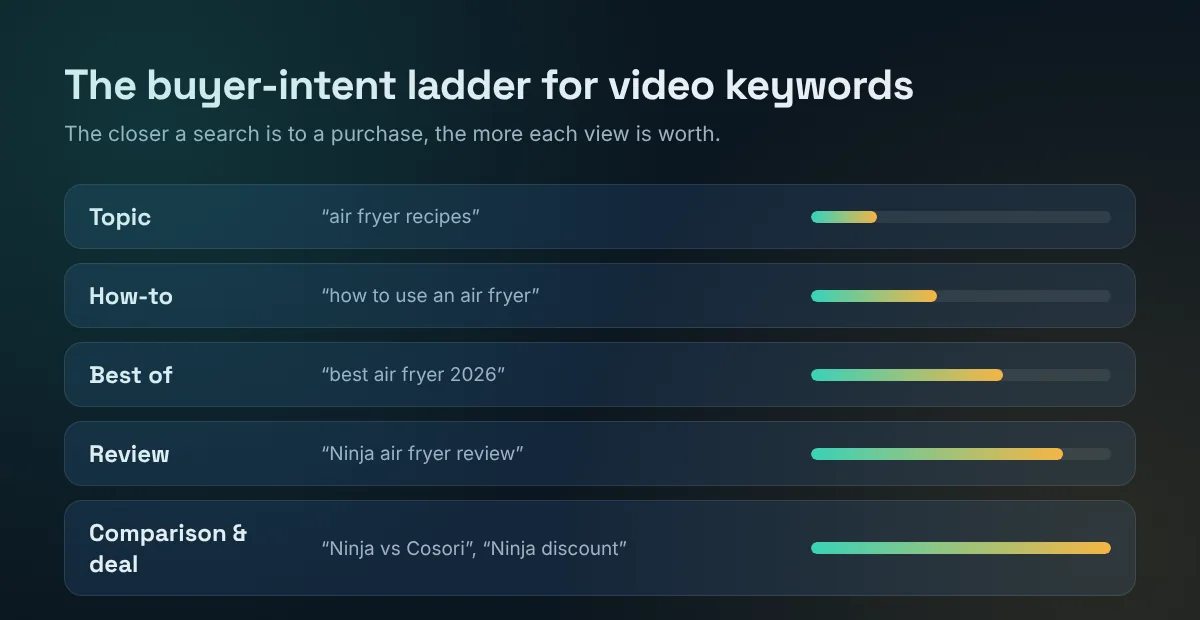
Here are the main types of buyer-intent video keywords, from strongest to weakest:
- Comparison: "Ninja vs Cosori", "Canva Pro alternative". The viewer is choosing between options.
- Deal: "Ninja air fryer discount", "Canva Pro price". The viewer has mostly decided and wants the best price.
- Review: "Oura ring review", "is it worth it", "is it legit". The viewer wants proof before buying.
- Best of: "best air fryer 2026". The viewer knows what they want, but not which brand.
- How-to: "how to use an air fryer". Often bought already, but great for building trust and an audience.
For an affiliate or e-commerce channel, the first three are where the sales are. A smaller video that ranks for "product review" usually earns more than a bigger video about a general topic.
Where to find real video keywords
The best keyword source is free and sitting in front of you: search suggestions. When you start typing in Google or YouTube, the suggestions that appear are real searches people make. Try typing a product name followed by "review", "vs", "is" or "how to" and note what comes up.
Doing this by hand works, but it's slow: you need dozens of searches per product, in two search engines, and you still have to sort the results by intent. The free YouTube Affiliate Keyword Finder does it in seconds. Paste a product link, and it collects the Google and YouTube suggestions for the product, removes unrelated ones, and ranks them by how close they are to a purchase.
How to check YouTube competition
A great keyword is only useful if you can rank for it. Most keyword tools only show search volume, but on YouTube the better question is: who is ranking right now, and can I do better? Search the keyword on YouTube and look at the top results.
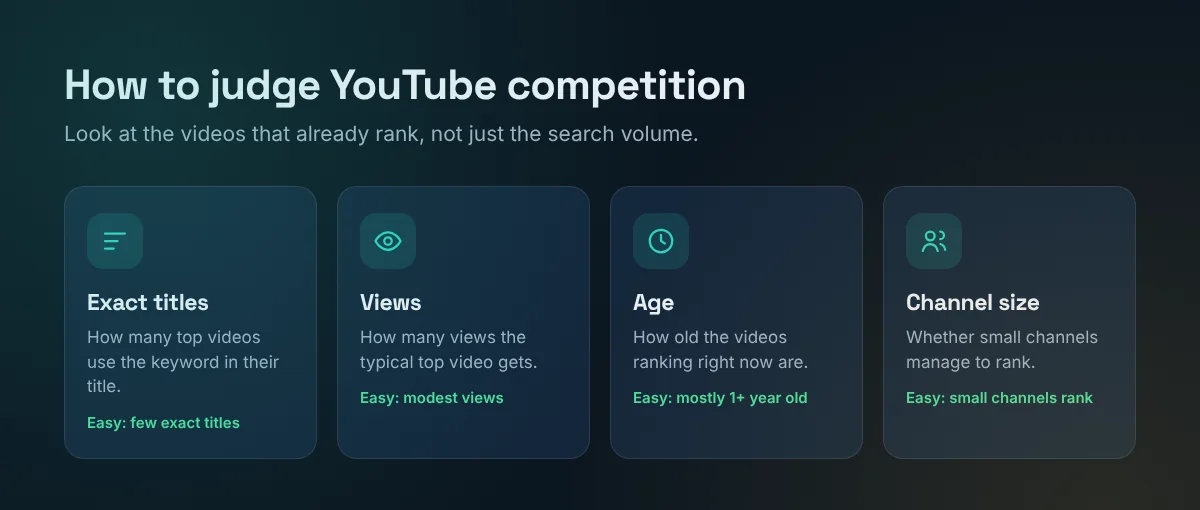
- Exact titles: if most top videos have your keyword in their title, creators are already targeting it. If few do, YouTube is filling the results with "close enough" videos, which is an opening for you.
- Views: modest view counts mean the topic isn't dominated by huge videos.
- Age: if the top videos are more than a year old, a fresh, up-to-date video can stand out, especially for products that change every year.
- Channel size: when small channels (under 10K subscribers) rank, YouTube is rewarding the answer more than the channel. That's good news for new channels.
A real example: Ninja air fryer keywords
We ran two keywords through the tool in November 2026 and looked at the top 5 YouTube videos for each.
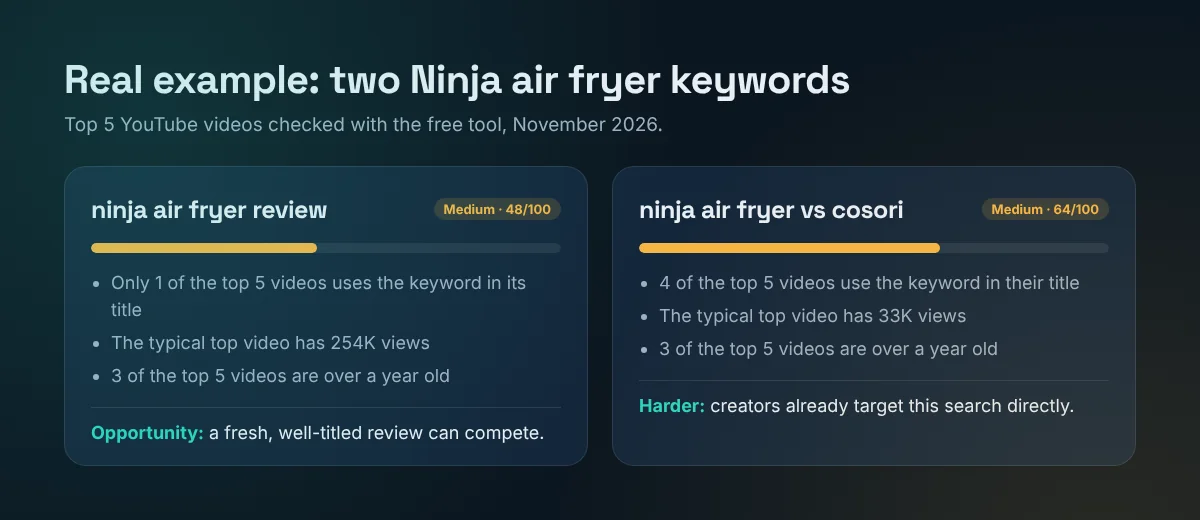
"ninja air fryer review" scored 48/100. The typical top video has about 254K views, so there's real demand. But only 1 of the top 5 videos actually uses the keyword in its title, and 3 of them are more than a year old. A fresh video titled for this exact search has a real chance.
"ninja air fryer vs cosori" scored 64/100, even though its videos get fewer views (about 33K). The reason: 4 of the top 5 videos already use the keyword in their title. Creators are targeting it directly, so it's harder to stand out.
This is why looking only at search volume can mislead you. The keyword with more views was actually the easier one to target.
Step by step with the free keyword tool
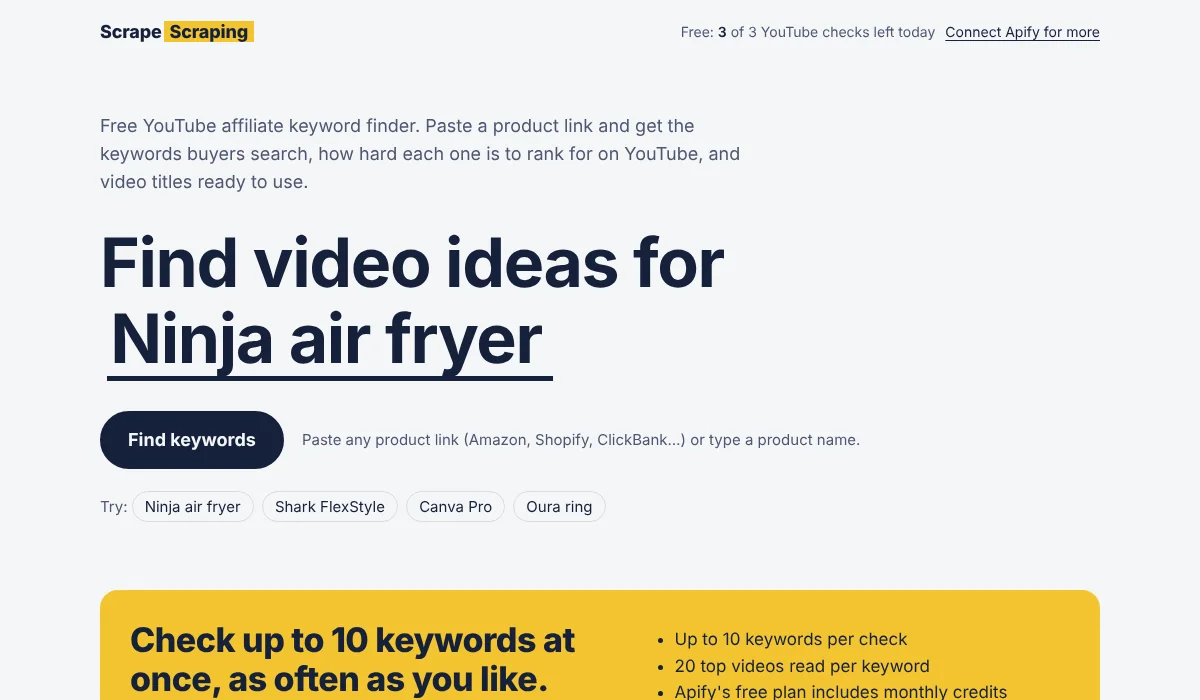
1. Paste a product link
Open the YouTube Affiliate Keyword Finder and paste any product link: Amazon, a Shopify store, a ClickBank offer, or a software page. You can also just type the product name. The tool reads the product name from the page, and you can shorten it if it's too long. Shorter names usually give better keywords.
2. Review the buyer keywords
You get a list of real searches, grouped by intent: Review, Comparison, Deal, Best of and How-to. Each keyword shows where it comes from (Google, YouTube or both) and a buyer-intent rating. Keywords found in both Google and YouTube are especially valuable, because a video can rank in both.
3. Check the YouTube competition
Pick your best keywords and click Check YouTube competition. The tool reads the top videos for each one and gives a Low, Medium or High score, with the reasons, the top videos and their view counts. The easiest opportunities are shown first.
4. Pick a title
Every keyword comes with ready-to-use title ideas, plus the most-viewed titles already ranking so you can see what works. Copy one, then make it yours: add a specific detail, a number or your honest angle.
5. Save your research
Download everything as a CSV (keywords, intent, competition and title ideas) to plan your next videos in a spreadsheet.
Try the free YouTube Affiliate Keyword Finder
Titles, descriptions and chapters that rank
Once you've chosen a keyword, these on-page YouTube SEO basics help your video rank:
- Put the keyword early in the title. "Ninja Air Fryer Review: 6 Months Later" beats "6 Months Later, Here's What I Think About My Ninja".
- Say it in the first lines of the description. Viewers see only the start of the description in search results, so use it to confirm the video answers their search.
- Say it out loud in the video. YouTube creates automatic captions, so mentioning the product and the question near the start helps it understand your video.
- Add chapters. Timestamps like "Pros", "Cons" and "Who should buy it" help viewers jump to what they need, and can appear in Google results.
- Make a clear thumbnail. Your thumbnail and title decide whether people click. Show the product and one short promise.
- Don't over-focus on tags. YouTube says tags play only a small role in discovery. Your title, description and how viewers respond matter much more.
- Disclose affiliate links. If you earn a commission, say so clearly in the video and description. It's required in many countries, and it builds trust.
Where video fits in your digital marketing plan
A single keyword can feed your whole digital marketing plan, not just one video:
- Blog SEO: turn the video into a written review on your site and embed the video. Both can rank for the same search.
- Pinterest: create pins that link to the review. PinMill turns one product into a week of pins for free.
- Audience research: before filming, see what people complain about with the free Reddit Audience Finder. Answering those complaints in your video makes it more useful than the competition.
- Product research: find products that sell by spotting long-running ads with the free Winning Ads Finder.
- Email: send your best review videos to your list when a product goes on sale.
Common YouTube SEO mistakes
- Chasing big keywords first. New channels rarely rank for "best laptop". Start with specific buyer searches where the competition is lower.
- Ignoring intent. A "how to use" video won't satisfy someone searching "is it worth it". Match the video to the question.
- Clickbait titles. If viewers leave quickly because the video doesn't deliver, YouTube shows it less.
- Making videos nobody searches. Check that people actually type the keyword. The tool marks real searches so you don't guess.
- One video, then nothing. YouTube SEO compounds. Several videos around one product or niche help each other rank.
Frequently Asked Questions
What is YouTube SEO?
YouTube SEO means optimizing your videos so they rank in YouTube and Google search results. It includes choosing keywords people search, matching their intent, and optimizing your title, description, chapters and thumbnail.
How does YouTube SEO fit into digital marketing?
Video is one of the most trusted formats for researching products, so YouTube SEO brings in viewers who are actively looking for answers. One ranking video can drive traffic for years and support your blog, email and social media marketing.
What are buyer-intent keywords?
Searches people make when they're close to buying, such as "product review", "product vs competitor" or "product discount". They usually get fewer views than general topics, but the viewers are far more likely to buy.
How do I know if a YouTube keyword is too competitive?
Look at the top videos for that search. If most of them use the exact keyword in their title, have very high view counts, are recent and come from large channels, it's competitive. If few use the keyword, the videos are old and small channels rank, it's an opportunity.
Is the YouTube Affiliate Keyword Finder free?
Yes. Finding keywords and title ideas is free. Everyone also gets a few free YouTube competition checks a day. For more checks, you can connect a free Apify account and run them on your own account.
Do I need to show my face to rank on YouTube?
No. Many review and comparison channels rank with product close-ups, screen recordings and voice-overs. What matters most is answering the search clearly and honestly.
More free tools from Scrape Scraping
These free tools help with every step, from finding products to promoting them.
- YouTube Affiliate Keyword FinderTurn any product link into buyer keywords, YouTube competition scores and video titles.
- Winning Ads FinderFind winning Facebook and Instagram ads and the stores behind them. Our free Minea alternative.
- Local Lead FinderGet lists of local businesses from Google Maps with phone numbers, websites and ratings.
- Reddit Audience FinderSee who's talking about a topic on Reddit and what they complain about.
- LeadFix ToolkitClean your lead CSV files and fix common automation errors, right in your browser.
- Online Business Tool FinderAnswer 5 quick questions and get a ranked shortlist of tools for your goal and budget.
- Web Data to SpreadsheetStop copy-pasting from websites. Pick the data you need and find the tool built for it.
- E-commerce Data ExtractionTrack products, prices and availability across online stores automatically.
- Tool HubPick the job you need done online, try a quick demo and meet the right tool.
- PinMill: Free Pinterest Pin MakerTurn one product into a week of Pinterest pins, with titles, keywords and a bulk-upload CSV.