 Scrape Scraping
If you sell online, the fastest way to find a product that sells is to look at what other stores are already paying to advertise. That's what ad spy tools like Minea do. But if you mainly need to find winning ads on Facebook and Instagram, a monthly subscription can be hard to justify, especially before your store makes its first sale.
This guide shows you a Minea free alternative for that job: how to find ads that have been running for weeks, how to tell which ones are actually winning, and how to turn what you find into a product test.
Key takeaways
- Meta's public Ad Library shows every active Facebook and Instagram ad, but it's slow to research by hand.
- The best free signals of a winning ad are how long it has been running and how many versions the advertiser made.
- The free Winning Ads Finder ranks ads by those signals and shows the stores behind them, with no signup.
Why look for a Minea free alternative?
Minea is a popular ad spy tool for e-commerce and dropshipping. It lets you search ads across several networks, track stores and spot trending products. It works on paid monthly plans that use a credit system, with the entry plan at around $49 a month according to published reviews at the time of writing. Check Minea's own site for current prices.
That's a fair price for a full research suite. But many sellers, especially beginners, only need one part of it:
- Search ads for a product idea
- See which ads have been running the longest
- Find the stores behind those ads
All three can be done for free, because the data comes from a public source: Meta's Ad Library. Meta publishes every active ad on Facebook and Instagram there for transparency. The catch is that the Ad Library isn't built for product research. You can't sort ads by how long they've run, filter for ads that link to a store, or see which shops are behind a trend. You end up scrolling and taking notes by hand.
A good free alternative does that sorting for you.
The free alternative: Winning Ads Finder
The Winning Ads Finder is a free tool we built on Scrape Scraping. You type a product, pick the country you sell in, and in about a minute you get the Facebook and Instagram ads running for it right now.
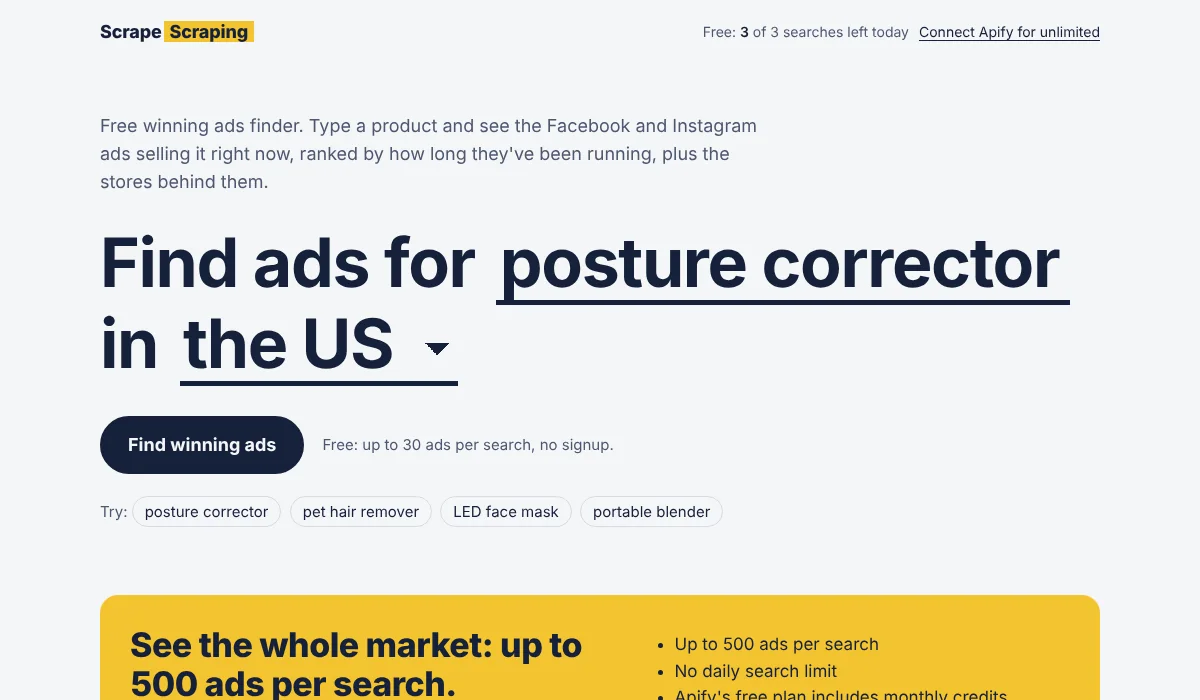
For each ad, you see:
- The creative: the image or video thumbnail, ad text, headline and call-to-action button
- Days running: how long the ad has been live
- Versions: how many copies of the ad the advertiser is running
- Placements: Facebook, Instagram, Messenger or Audience Network
- The store: the website the ad sends traffic to
- A Winning badge on ads that are still active and have run for 30+ days or have 5+ versions
A separate Stores tab groups the ads by shop, so you can see at a glance which stores are pushing a product hardest. You can sort by winning score, longest running, most versions or newest, and download everything as a CSV.
Behind the scenes, the tool reads Meta's Ad Library with a scraper from Apify. Free searches show up to 30 ads. If you need the full picture, you can connect a free Apify account and run searches of up to 500 ads on your own account.
Try the free Winning Ads Finder
How to tell if an ad is winning
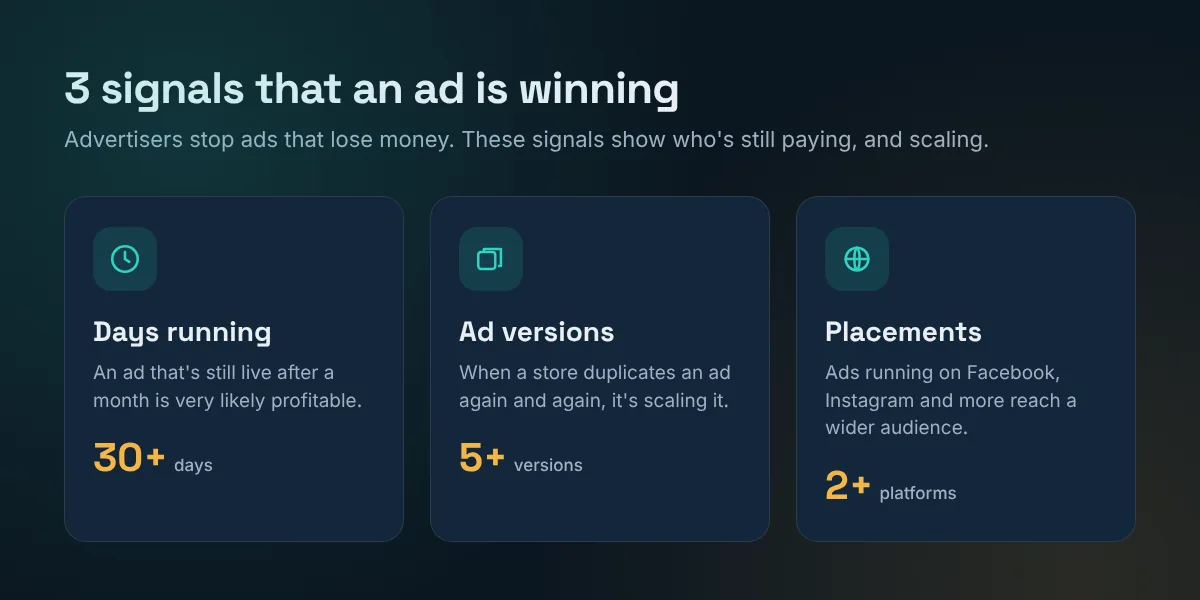
No ad spy tool can see another store's sales. What they can see is behavior, and behavior is a strong signal. Advertisers pay for every day an ad runs, so nobody keeps paying for an ad that loses money. Here are the three signals the Winning Ads Finder uses.
1. Days running
An ad that's still live after 30 days is very likely profitable, or at least breaking even while the store builds its customer list. The longer it runs, the stronger the signal. When we tested the tool on "posture corrector" in the US, the top result was an ad that had been running for over 740 days, more than two years. That product is clearly still selling.
2. Number of versions
When an ad works, advertisers duplicate it to test new audiences, budgets and placements. In the Ad Library, these copies are grouped together. An ad with 5, 10 or 20 versions is one the store is actively scaling.
3. Placements
Ads running on several placements (Facebook, Instagram and more) usually have a bigger budget behind them. On its own it's a weaker signal, but combined with the other two it helps separate serious advertisers from quick tests.
A brand-new ad with one version isn't a winner yet, but it can still be useful. If a store you already know is winning launches new ads, those show you what it's testing next.
How to find winning products, step by step
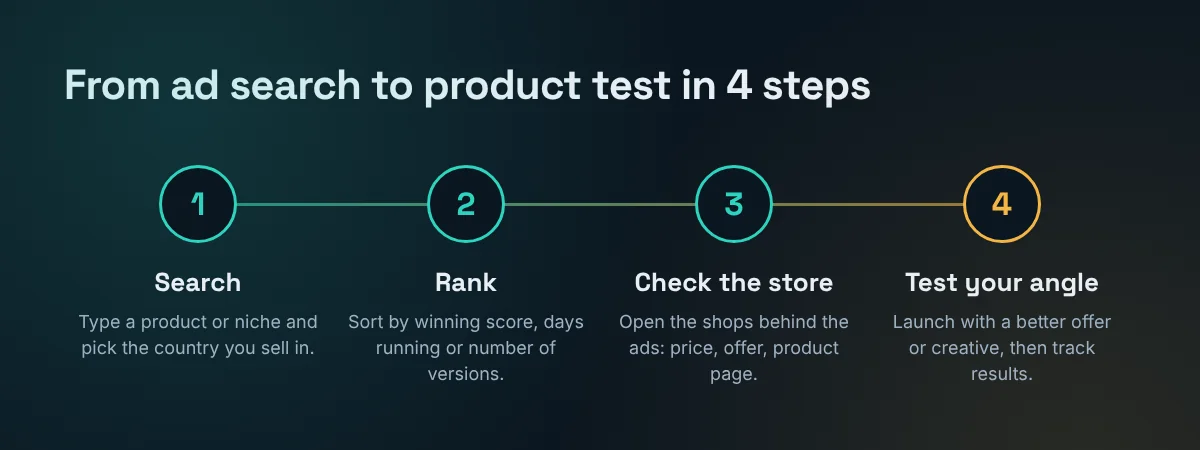
Step 1: Search a product or niche
Open the Winning Ads Finder and type a product name, like "posture corrector", "pet hair remover" or "LED face mask". Pick the country you plan to sell in. Ads differ a lot between markets, so a product that's saturated in the US may be wide open in France or the UAE.
Step 2: Rank the ads
Results are sorted by winning score by default. Switch to Running longest to see proven products, or Newest to see what stores are testing right now. Tick Only ads with a store link to hide brand-awareness ads that don't sell anything directly.
Step 3: Check the stores behind the ads
Open the Stores tab. A store with several winning ads for the same product is a strong signal. Visit its product page and note:
- The price and any bundle or discount offer
- The main promise in the headline (pain relief, saving time, looking better)
- Reviews, guarantees and shipping times
- What the product page does well, and what it does badly
Step 4: Test your own angle
Don't copy the winning store. Find a gap instead: a better offer, a different audience, a clearer product page or a fresh creative angle. Then launch a small test budget and let your own numbers decide. Download the CSV from the tool to keep a record of the ads and stores you studied.
Minea vs the free Winning Ads Finder
Here's an honest comparison. Minea is a complete research suite, while the Winning Ads Finder focuses on one job and does it for free.
| Feature | Minea | Winning Ads Finder |
|---|---|---|
| Price | Paid monthly plans with credits | Free (a few searches a day) |
| Signup | Account required | No signup |
| Facebook & Instagram ads | Yes | Yes |
| TikTok & Pinterest ads | Yes, on higher plans | No |
| Days running and versions | Yes | Yes, used to rank ads |
| Stores behind the ads | Yes, with store analytics | Yes, grouped by store |
| Sales and traffic estimates | Yes | No |
| CSV export | Yes | Yes |
Choose Minea if you research products every day across several ad networks and want store analytics. Choose the free Winning Ads Finder if you're validating product ideas, focus on Meta ads, or want to try ad research before paying for a subscription.
Tips for better product research
- Use the words buyers use. Search "neck massager", not "cervical massage device". Ad text follows customer language.
- Try English keywords first, even for non-English markets. Many stores advertise in English, and you can then repeat the search in the local language.
- Look at the comments. Open the ad in the Ad Library and read the comments on the original post. Complaints about shipping or quality show you where to beat the competition.
- Compare countries. Search the same product in two or three markets. Fewer advertisers with long-running ads can mean a less crowded opportunity.
- Save your research. Ad images from Meta expire after a few days, so download the CSV when you find something interesting.
- Find out what buyers complain about. The free Reddit Audience Finder shows the most common complaints about a product category, which is great material for your ad angle.
What a free tool can't tell you
Ad research gives you strong signals, not certainty. Keep these limits in mind:
- Running time isn't revenue. Some brands keep ads running for awareness, or forget to turn them off.
- You only see Meta ads. A product might be selling mainly through TikTok, Google or influencers.
- Free searches are a sample. They show up to 30 ads, so popular products may have many more.
- Creatives are protected. Use other brands' ads for inspiration only. Copying their videos, photos or text can get your ads rejected and break copyright law.
Frequently Asked Questions
Is there a free alternative to Minea?
Yes. The Winning Ads Finder is a free Minea alternative for Facebook and Instagram ad research. You search by product and country, see how long each ad has been running and how many versions exist, and find the stores behind the ads. It's free for a few searches a day with no signup.
How do I know if an ad is a winning ad?
Look for ads that are still active after 30 days or more, ads that the advertiser has duplicated into many versions, and ads running on several placements. Advertisers usually stop ads that lose money, so these are strong signs that an ad is profitable, though not a guarantee.
Can I use the Facebook Ad Library for product research?
Yes. Meta's Ad Library is public and shows active ads on Facebook and Instagram. It's free but slow to research manually, because you can't sort ads by how long they've run or group them by store. Tools like the Winning Ads Finder do that sorting for you.
Does the Winning Ads Finder cover TikTok ads?
No. It covers Facebook and Instagram ads from Meta's Ad Library. Paid tools like Minea also cover TikTok and Pinterest ads, along with store analytics.
Is it legal to look at competitors' ads?
Yes. Meta publishes active ads in its public Ad Library for transparency, so anyone can view them. Use them for research and inspiration, but don't copy other brands' creatives, videos or text, which are protected by copyright.
How many free searches do I get?
Everyone gets a few free searches a day, each showing up to 30 ads. If you need more, you can connect a free Apify account to run bigger searches of up to 500 ads on your own account.
More free tools from Scrape Scraping
Found a product? These free tools help with the next steps, from finding customers to promoting your store.
- Winning Ads FinderFind winning Facebook and Instagram ads and the stores behind them. Our free Minea alternative.
- Local Lead FinderGet lists of local businesses from Google Maps with phone numbers, websites and ratings.
- Reddit Audience FinderSee who's talking about a topic on Reddit and what they complain about.
- LeadFix ToolkitClean your lead CSV files and fix common automation errors, right in your browser.
- Online Business Tool FinderAnswer 5 quick questions and get a ranked shortlist of tools for your goal and budget.
- Web Data to SpreadsheetStop copy-pasting from websites. Pick the data you need and find the tool built for it.
- E-commerce Data ExtractionTrack products, prices and availability across online stores automatically.
- Tool HubPick the job you need done online, try a quick demo and meet the right tool.
- PinMill: Free Pinterest Pin MakerTurn one product into a week of Pinterest pins, with titles, keywords and a bulk-upload CSV.